Cover songs 101: How to release a cover song with CD Baby

On this page
What Counts as a Cover Song
A cover is your own new recording of a song someone else wrote. Releasing one is a good way to reach listeners who haven’t heard you yet, and it keeps your catalog active in the gaps between your original material. Before you put one out, though, you need to respect music copyright and the rules of whoever distributes your music.
It helps to know that every song carries two separate copyrights:
- The sound recording: the specific recorded performance you hear on a track.
- The composition: the underlying music and lyrics, independent of any one recording.
When you cover a song, you make a brand-new sound recording, so you own the new performance. But the composition still belongs to its original copyright holder. That’s why covers come with licensing rules.
Do You Need a License?
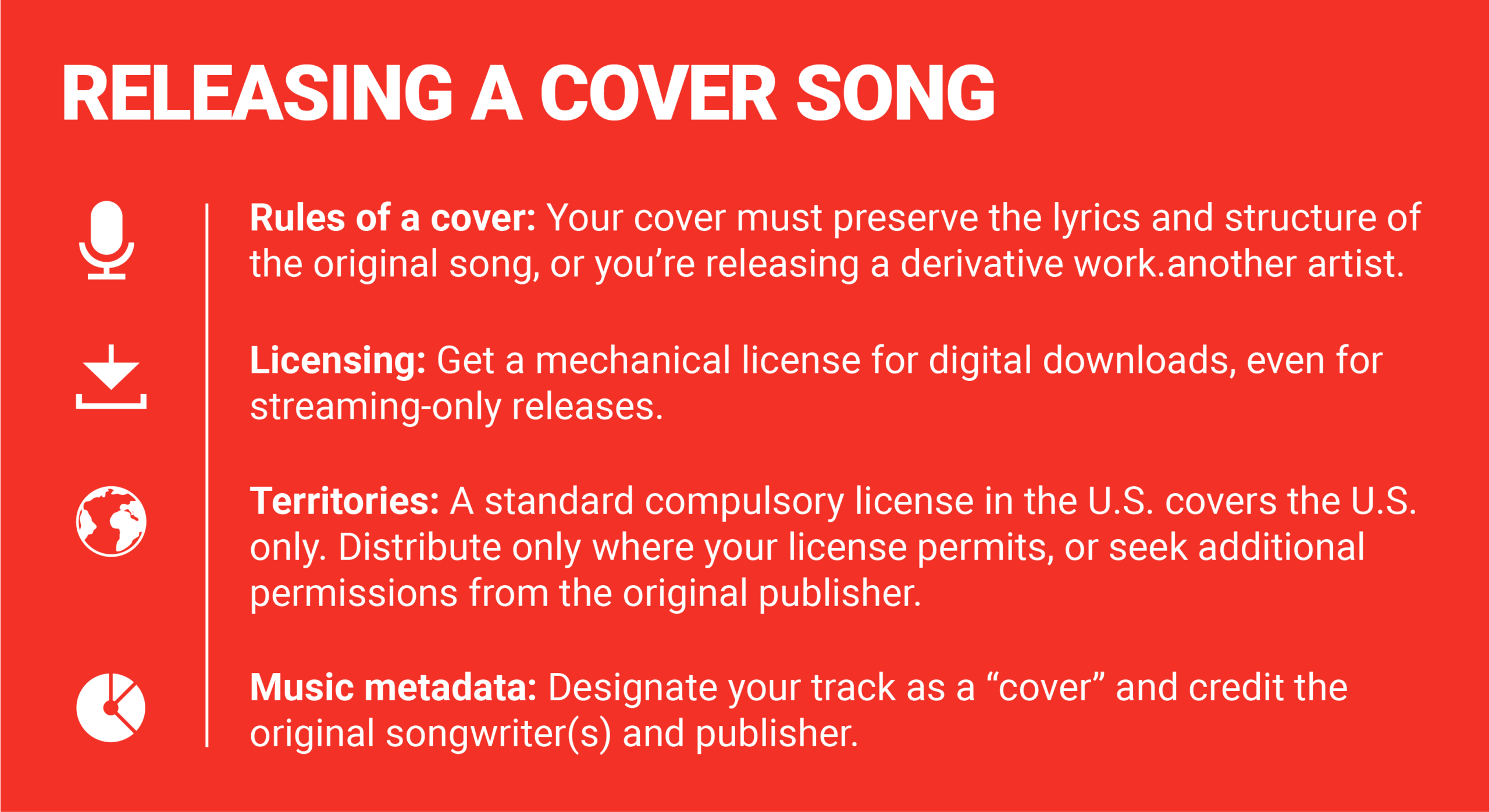
In the United States, copyright law includes a mechanism called a compulsory mechanical license. “Compulsory” means the composition’s owner can’t refuse you. If the song qualifies, you can record and release your own version without asking for individual permission, as long as you get the license. The law covers nondramatic songs, meaning ordinary songs rather than material from staged works, and the license applies to distribution within the U.S.
You can get a mechanical license for digital downloads, physical copies, or both through Easy Song. You can also go straight to the composition’s copyright owner.
Streaming is a bit of a gray area. A license isn’t technically required for platforms like Spotify and Apple Music, but most distributors, CD Baby included, ask for one anyway, no matter how you set up your distribution. Plan on getting one.
If you want to distribute outside the U.S., the standard license won’t stretch that far. You’ll need to arrange permission directly with the owner of the composition.
What If the Song Is in the Public Domain?
A song in the public domain is no longer under copyright protection, so you can record it without a license for the composition. You’ll still need to note in your submission that the song is public domain.
Public domain rules differ from country to country. In the U.S., songs published more than 95 years ago are generally in the public domain. “Generally” is the key word, so look up the status of your song with a resource like pdinfo.com before assuming you’re in the clear.
 Via diymusician.cdbaby.com
Recording Your Cover (and Keeping It a Cover)
Pick your song and capture a good-quality recording of your version. The main thing to watch is that what you’re making is still a cover.
You have plenty of room to put your own stamp on it. Take a full-band song and strip it down to a solo acoustic arrangement, for example. That’s a change in performance style, and it’s fine.
What you can’t do is change the melody or the fundamental character of the song. Once you do, the track becomes a derivative work, a new piece built on top of an existing one. The compulsory license doesn’t cover those. To distribute a derivative work, you need explicit permission from the copyright holder of the original composition.
If you’re unsure which side of the line your arrangement falls on, ask yourself whether someone would still recognize the same melody and the same basic song. If you’ve changed either in a major way, treat it as derivative and get permission first.
Handling the License, Credits, and Territories
Once your recording is done, there’s some paperwork to sort out before you submit it.
Match the license to your format
If you’re releasing through CD Baby, you need a digital download license regardless of where you plan to distribute. If you also want CDs or vinyl, you need a separate physical distribution license. A digital license doesn’t cover physical copies, and a physical license doesn’t cover digital. Easy Song and the composition’s copyright owner can both provide either type.
Keep the license handy when you fill out your submission. You’ll be asked for details such as the license ID and the original publisher’s name.
Fill in your metadata honestly
Metadata is the information attached to your release: titles, credits, and rights details. It needs to show that you’re releasing someone else’s song. With CD Baby, that means:
- Choose “Cover Song” as the composition type.
- Enter your license ID and the name of the license provider.
- Under Songwriter Information, add the original songwriter or songwriters.
- Add the original publisher’s name exactly as it appears on your license.
Check all of this before moving on to your distribution preferences. Accurate credits help your release arrive correctly and on schedule, and they support proper royalty distribution, so the right people get paid.
Restrict your territories
A standard U.S. compulsory license lets you distribute only in the United States. If you release through CD Baby under that license, limit your distribution territories to the U.S.
To reach other countries, you need written permission from the composition’s copyright owner that spells out which territories are authorized. Update your distribution settings to match before you submit.
 Photo by Tima Miroshnichenko / Pexels
One Last Check Before You Submit
Take a few minutes to go through the whole submission once more. Confirm each of these:
- Cover status: Your track is a true cover and not a derivative work, or the song is in the public domain.
- Licensing: You have the license that fits your plan, digital, physical, or both.
- Credits: Your metadata correctly separates the original songwriter or songwriters, the original publisher, and the performing artists on your new recording.
- Territories: Your distribution settings match what your license allows.
A mistake in any of these can delay your release or cause problems down the line, and they’re all easy to catch before you hit submit. Do the check, and your version of a favorite song can go out properly licensed and credited.
Sources
Cover songs 101: How to release a cover song with CD Baby, diymusician.cdbaby.com