OWC Updates ThunderBay 4 Storage System With Thunderbolt 5

On this page
A Familiar Four-Bay Drive Box Gets a Connectivity Upgrade
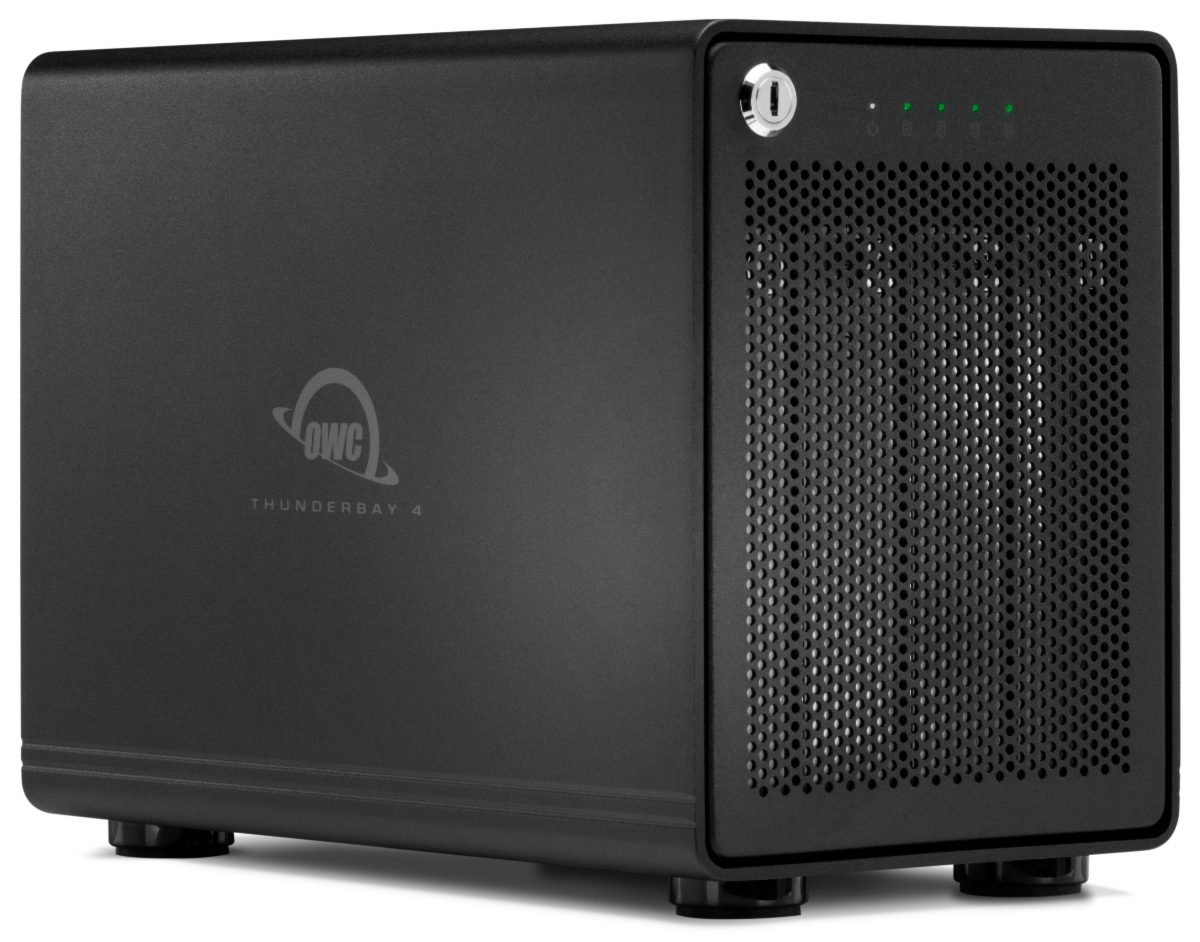
Other World Computing (OWC) has refreshed its ThunderBay 4, a four-bay RAID storage unit. A “bay” is a slot that holds one drive, and RAID is a method of combining several drives so they act as a single volume. The big change is Thunderbolt 5 connectivity. Capacity options now reach as high as 128TB.
If you record bands, produce tracks, or keep a growing archive of video from rehearsals and gigs, a box like this is where multitrack sessions, sample libraries, and finished projects can live without crowding your computer’s internal drive. This update doesn’t reinvent the product. It gives an established design more ways to plug in and more room to grow.
Larry O’Connor, OWC’s founder and CEO, said the ThunderBay 4 has been a customer favorite for more than a decade. He described the new version as adding connectivity and flexibility so users, from solo photographers to busy production studios, can keep pace with workflows that keep getting heavier.
Two Ports, One Chain
The updated unit has two Thunderbolt 5 ports. One connects to your host computer. The other lets you daisy-chain more gear, meaning you plug a second device into the first instead of giving each its own cable back to the computer. According to OWC, the chain can include other Thunderbolt devices as well as USB4 and USB-C gear.
For a home or project studio, this can cut down on cable clutter. Many of us already juggle an audio interface, a card reader, and a backup drive, and sometimes a laptop has only a couple of usable ports. A storage box that passes the connection along can help with that.
A few practical notes before you build a chain:
- Check your computer’s ports first. The drive box is only half the equation, so confirm what your laptop or desktop offers before planning your setup.
- Think about what sits where. Your working session drive and your archive drive don’t need to be treated the same way. Decide which one matters most for day-to-day speed.
- Keep cable runs tidy. Once a chain grows, a loose connector is an easy way to lose a recording take, so label cables and secure them.
 Photo by george charry / Pexels
What the Speed Numbers Say
OWC reports transfer speeds of up to 1,268 MB/s with hard drives and up to 1,703 MB/s with SSDs. MB/s means megabytes per second, a measure of how much data moves each second. These are the manufacturer’s figures, so treat them as a ceiling under ideal conditions rather than a promise for every task.
Even so, the gap between the two drive types is useful. Hard drives generally cost less per terabyte, which suits archives and old projects. SSDs (solid-state drives, which have no spinning parts) suit the material you’re actively working with, such as a session with plenty of tracks and plug-ins streaming audio at once. Which one you fill the bays with depends on whether you want raw capacity or snappy access.
RAID Levels in Plain English
The ThunderBay 4 ships configured for RAID 5. It also supports RAID 0, 1, 4, 5, 6, 6+, 10, and JBOD. That list can look like alphabet soup, so here is what the common ones generally mean:
- RAID 0 spreads data across drives for speed but offers no protection. If one drive fails, everything on the volume can be lost.
- RAID 1 mirrors data so each piece is stored on more than one drive.
- RAID 5 spreads data across drives and adds parity information, which is extra data used to rebuild contents if a single drive fails. It’s the setting the unit arrives with.
- RAID 6 works along similar lines but is built to tolerate more than one drive failure.
- RAID 10 combines mirroring and striping, pairing speed with redundancy.
- JBOD stands for “just a bunch of disks.” Each drive shows up as its own separate volume instead of being combined.
OWC’s announcement doesn’t explain RAID 4 or 6+, so check the company’s documentation if you’re curious about those.
Here’s the advice that matters most: RAID is not a backup. It can help you survive a failed drive, but it won’t save you from an accidental deletion, a corrupted session file, or a unit that gets damaged or stolen. Keep a separate copy of anything you can’t afford to lose.
 Photo by tainah ferreira / Pexels
Setup and Drive Health
The unit uses OWC SoftRAID 9 for RAID setup and drive-health monitoring. If you’re new to RAID, having the configuration and the monitoring handled by one piece of software is a plus. Drive-health monitoring matters because drives usually give some warning before they fail, and you only benefit if someone is watching.
Make it a habit. Open the monitoring tool now and then, especially before a big tracking weekend, and don’t wait for an error message to remind you that the box exists.
Working With Remote Collaborators
The system is also compatible with Strada, which OWC says lets remote teams browse, preview, and edit media stored on the unit without first uploading the files to cloud storage.
For musicians, think of a band spread across different towns, or a producer working with a mix engineer and a video editor on a release. Instead of pushing huge session folders or video files to a cloud service and waiting, the material can stay on the drive while collaborators work with it. Whether this fits depends on your internet connection, your team’s habits, and how comfortable you are leaving a drive online. Read OWC’s documentation on Strada before you commit to the idea.
Availability and Where to See It
The updated ThunderBay 4 is open for preorder, with shipments scheduled to begin the week after the announcement of November 10, 2026. OWC plans to demonstrate it at InterBEE 2026, held November 18–20, in Hall 7, Stand 7510.
The announcement doesn’t include prices, so check OWC’s own listings for the configuration you want. Before you buy, ask yourself a few questions:
- How much storage do you really use now, and how fast is it growing?
- Do you need speed for active sessions, capacity for archives, or both?
- Which RAID level matches how much risk you’re willing to accept?
- Where will your separate backup live?
Answer those and the ThunderBay 4’s options will be much easier to choose between.
Sources
OWC Updates ThunderBay 4 Storage System With Thunderbolt 5, www.prosoundweb.com