MIXPrep 2.3.1 Learns Your Pro Tools Mix Template And Builds New Sessions In It

On this page
MIXPrep 2.3.1 Builds Your Pro Tools Sessions Inside Your Own Template
Every mix starts the same way. A client sends a folder of audio, and before you hear a note of the song you’re renaming files, sorting them into groups, pulling levels down, and dragging everything onto your usual tracks. The Mix Academy has released version 2.3.1 of MIXPrep, a session prep app from multi-platinum mix engineer David Glenn, which automates that stretch. Here’s what it does and what you need to run it.
What MIXPrep Handles For You
MIXPrep covers the gap between “files received” and “first listen.” You point it at a client’s multitrack folder (the collection of individual instrument and vocal recordings that make up a song). It names the tracks, sorts them, sets levels, and routes everything into your Pro Tools template. A template is a session you’ve already laid out with your preferred tracks, folders, and buses. A bus is a shared channel where several tracks are combined so you can process or balance them together.
The result is a session that opens on your own setup, running through your own buses, at levels you’ve already roughed in. Glenn’s argument is that the first listen is the most valuable moment in a mix, and most engineers burn it on file management. The app is meant to give that time back.
It’s aimed at people who mix a steady stream of client projects and already trust their template. If you rebuild your session from scratch every time, or don’t have a template yet, you’ll get less out of it.
 Via production-expert.com
Teach It Your Template Once
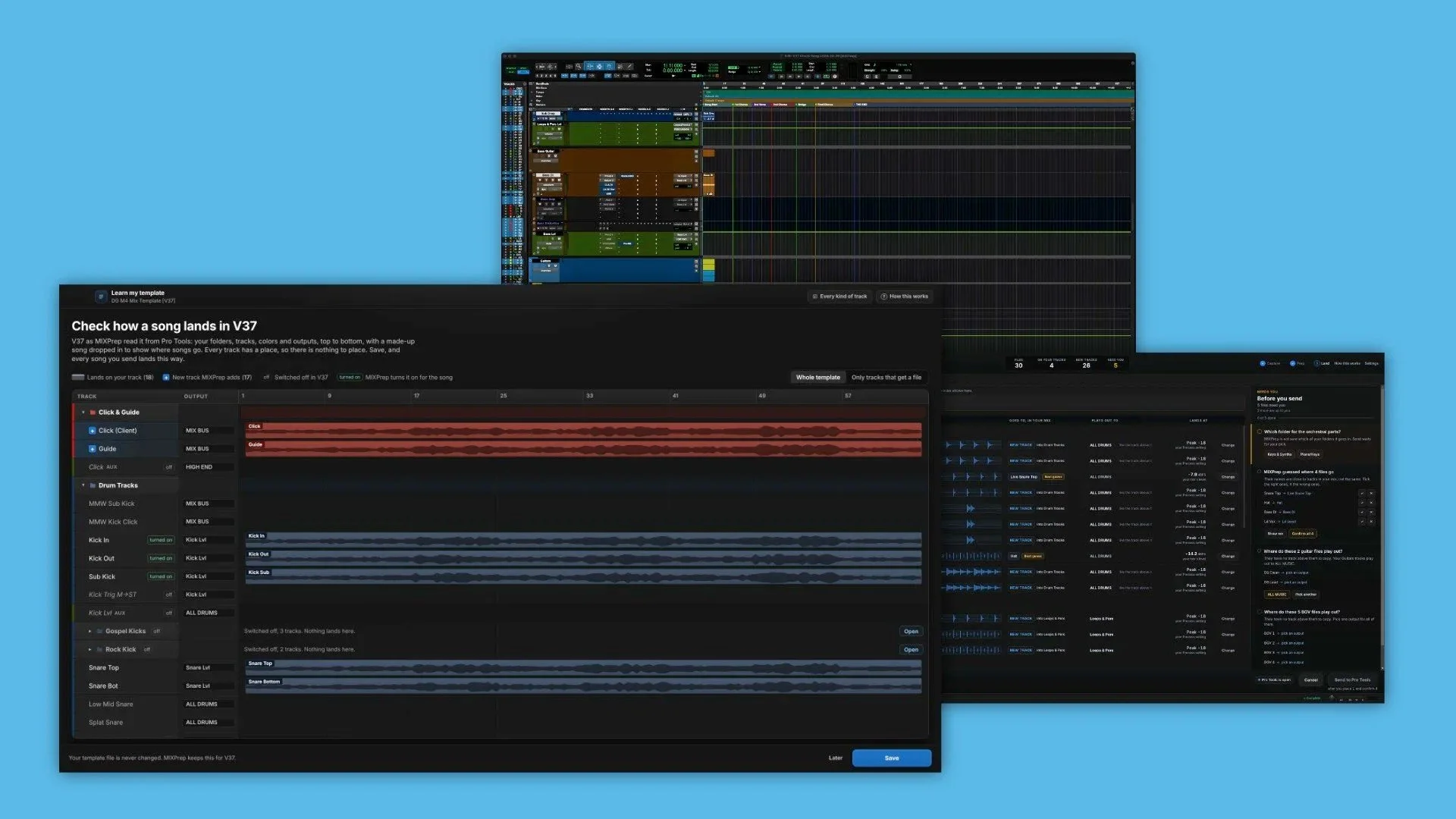
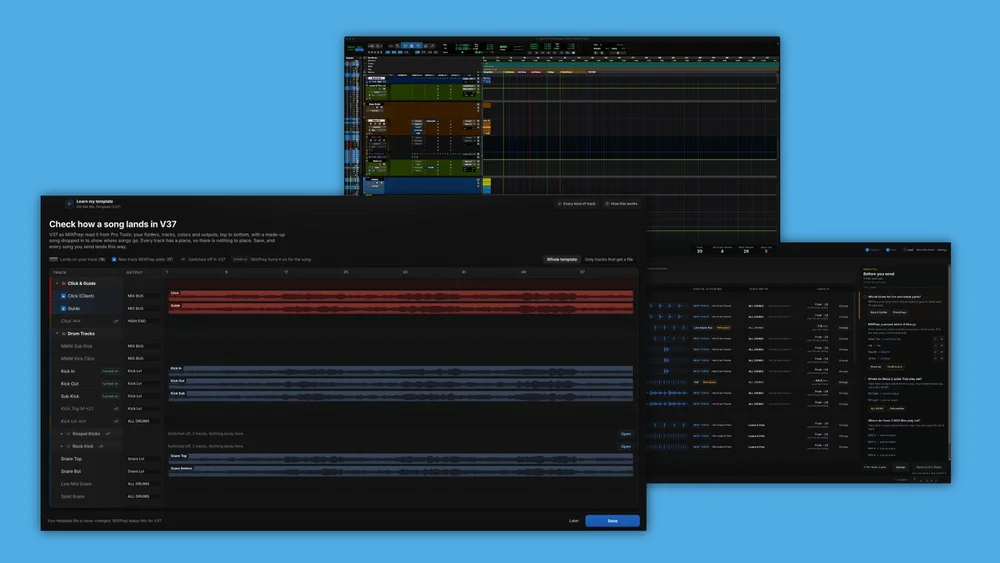
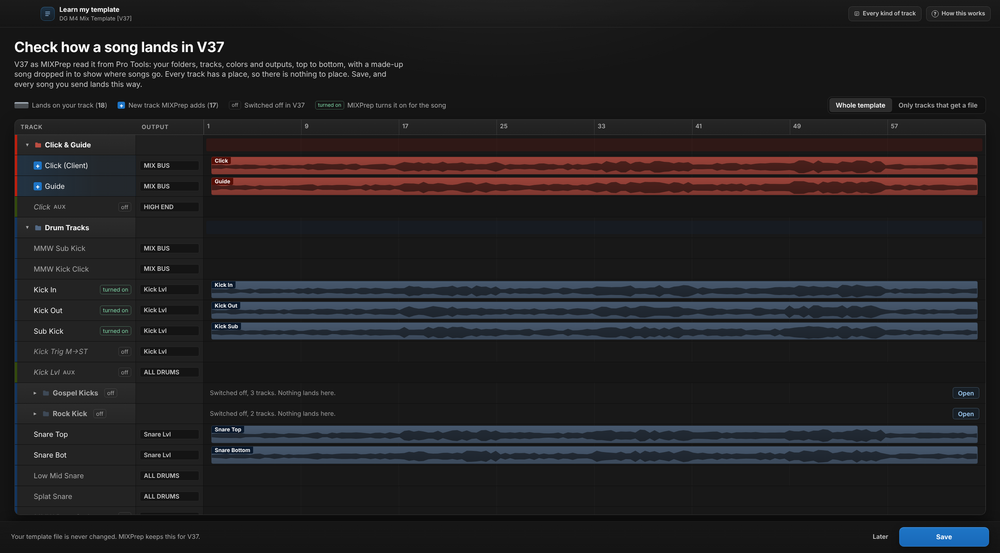
Setup is a one-time job. MIXPrep reads a copy of your template while it’s open in Pro Tools and works out the layout. Before you save anything, it shows you where each kind of incoming track will land, so you can check the placement and correct anything that looks wrong.
Once you save, that mapping applies to every song you prep afterward. The same tracks, folders, and buses turn up each time, so you get consistency across projects without any manual rebuilding.
Two practical tips follow from this:
- Work from a copy. The app reads a copy of your template, so keep a clean version aside for this purpose rather than a half-edited working session.
- Review the preview carefully. The review step is where you catch misplaced track types. A mistake in the saved setup repeats on every future song, so a few minutes of checking now saves repeated fixes later.
One Source, Several Destinations
The mapping isn’t limited to one file per track. A single source track can feed several destination tracks in your template. The example given is a kick drum: one kick mic can populate separate kick, sub kick, and kick click tracks.
That suits engineers who split the kick into layers, each with its own processing. The “sub” layer might carry the low-end weight, while the “click” layer handles the attack. If your template works this way, you no longer have to duplicate the audio by hand every time.
Levelling is handled as clip gain, which is a volume adjustment applied to the audio clip itself inside Pro Tools, ahead of the fader and any plug-ins. This has two benefits:
- The balance MIXPrep sets stays visible in the session, so you can see it and change it.
- The client’s original files aren’t modified. They stay as delivered.
If a level looks off, you adjust the clip gain as you would for any other clip. There’s nothing to undo at the file level.
 Via production-expert.com
Match My Mix For EPs And Albums
Songs from one project often share a sound, so you may not want to start each from a blank slate. Match My Mix takes a finished mix from the same project and uses it as the starting point for the next song.
Here’s what it does:
- Places the new audio on the matching tracks from the reference mix.
- Levels the new audio against the corresponding reference track.
- Sets each matching fader to the position it held for most of the reference song.
That last point is a deliberate choice. The app uses the most common fader position, not the final one. If you rode a fader up or down at the end of the previous song, say for a fade or a big final chorus, that move won’t carry over and become the new song’s starting level.
This is handy when you’re mixing an EP or album and want the songs to feel like they belong together. You begin with a balance that already reflects decisions you made and liked, then adjust for what’s different about the new song.
What You Need To Run It
Requirements depend on which features you want:
- Platform: MIXPrep 2.3.1 runs on Apple Silicon Macs, meaning Macs with Apple’s own processors rather than Intel chips. A Windows version is in public beta.
- Sending sessions to Pro Tools: you need Pro Tools 2025.6 or later.
- Match My Mix: this needs Pro Tools 2025.10 or later, so check your version before you plan a workflow around it.
If you work in another DAW (digital audio workstation, the software you record and mix in), you aren’t shut out entirely. Users of Logic Pro, Cubase, Fender Studio Pro, and REAPER can export a folder of named, levelled audio files. You still get the naming and levelling work done, but you import the files into your DAW yourself. Building a full session is a Pro Tools feature only.
Pricing, Trial, And The Current Offer
There are two ways to pay:
- Subscription: $29 per month, or $199 if paid annually.
- Perpetual license: $297 until 30 November 2026, down from the usual $697. A perpetual license is a one-time purchase rather than an ongoing payment.
There’s also a 7-day trial that includes every feature and doesn’t require a card. Because the benefit depends on how well the app reads your template, the trial is a sensible way to find out. Teach it your template, run a real client folder through it, and see whether the placement and levels match what you’d have done by hand. If you work on albums or EPs, try Match My Mix as well, provided you’re on Pro Tools 2025.10 or later.
Sources
MIXPrep 2.3.1 Learns Your Pro Tools Mix Template And Builds New Sessions In It, www.production-expert.com